Make every gift a smarter decision with any MCP-enabled AI assistant
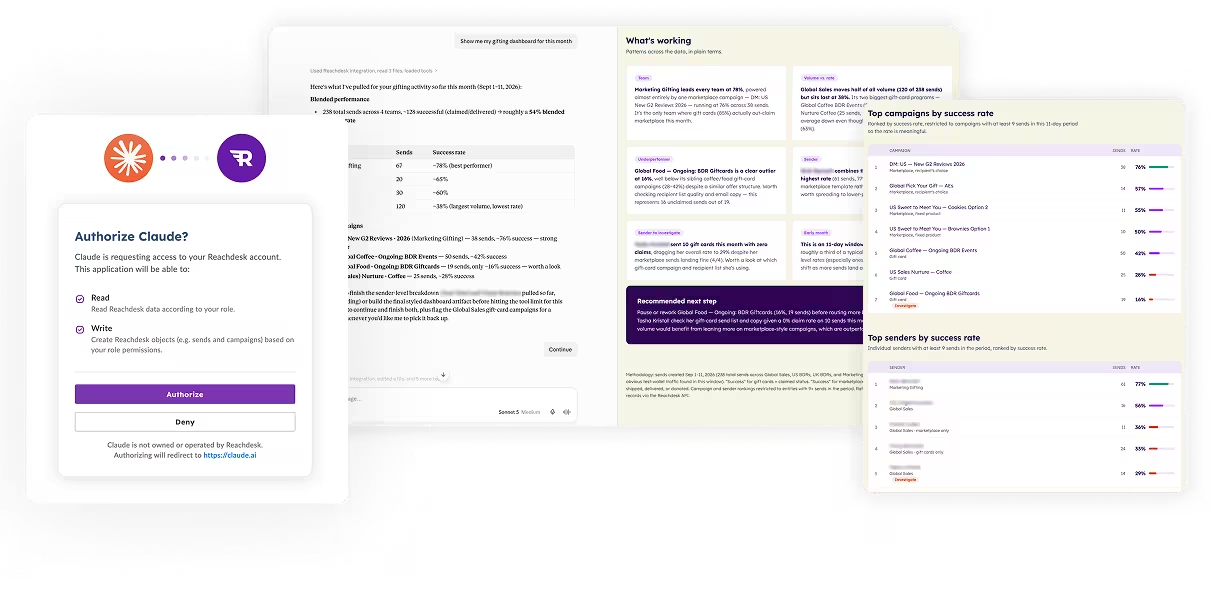
Reachdesk MCP brings gifting into the AI and GTM tools you already use, turning a single prompt into sharper insights, smarter decisions, and perfectly timed sends.
Apply for Early Customer Access
From prompt to doorstep with Reachdesk MCP
Connect once, ask in plain language, and turn gifting insights into smarter sends that drive ROI, without leaving your AI tool.
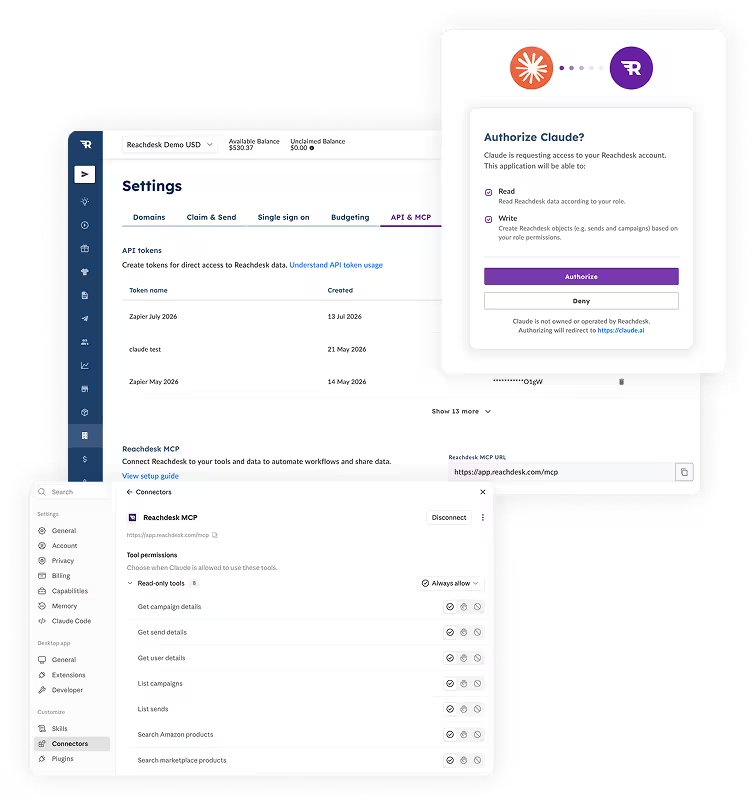
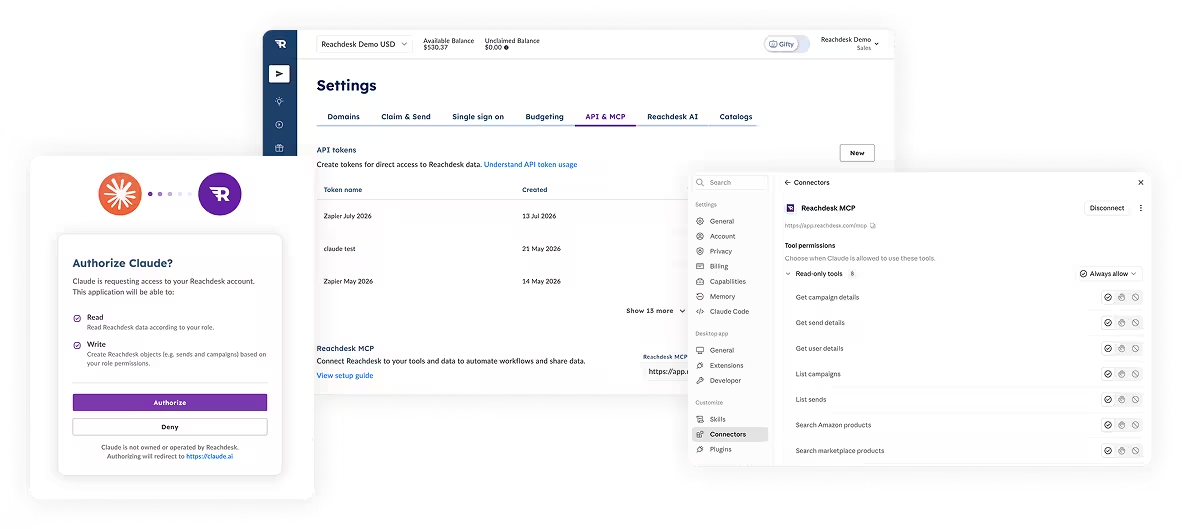
Add Reachdesk to your AI tool.
Set it up in Claude, ChatGPT, MS Copilot, or whichever MCP-enabled AI tool your team already relies on.
Just say what you need.
“Show me the opportunities that moved to Closed Won this week. Recommend a welcome gift for each and prepare the sends for my approval” without navigating another dashboard.
Preview, then send.
Every send includes a preview and confirmation step, so nothing goes out without your say-so.
What Early MCP Access unlocks
With insights that make every gifting decision smarter than the last, Reachdesk MCP cuts the time it takes to search, personalize, and send the right gift. By connecting gifting to the tools and data across your GTM stack, teams can engage more prospects and customers, increase activity, and drive more pipeline and revenue.
How Reachdesk MCP turns insights into impactful sends
From uncovering campaign insights to preparing perfectly timed gifts, here’s how Reachdesk MCP will turn everyday requests into action once connected.
Learn what’s driving results, instantly
Skip the spreadsheet wrangling. Reachdesk MCP will turn the numbers that matter into a clear, actionable view.
“Show me our Q3 gift spend, top-performing gifts, and adoption trends by region.”
✓ Pull every send from the quarter
✓ Break down spend by region and campaign
✓ Highlight the gifts driving the most engagement
✓ Let you reshape the view by region, campaign, or time period with another prompt
See which gifting campaigns are driving revenue
Bring Reachdesk and Salesforce data together to see which campaigns influenced revenue and where your gifting budget worked hardest.
“Compare our gifting ROI against closed-won deals this quarter, by campaign.”
✓ Pull gifting activity and spend from Reachdesk
✓ Match sends with Salesforce opportunities and deal values
✓ Connect each gift to the opportunities it influenced
✓ Calculate ROI by campaign
✓ Turn the combined data into a clear performance view ready to review and share
Stay ahead of gifting spend
Avoid quarter-end budget surprises. Reachdesk MCP and Slack MCP will monitor regional spend and prepare an alert when a budget needs attention.
“Alert our admins in Slack if any regional gifting budget passes 80% before quarter end.”
✓ Monitor regional spend against your budget
✓ Factor in the time remaining in the quarter
✓ Flag any region that crosses the threshold
✓ Prepare a Slack alert with the exact spend and time remaining for your approval
Send the perfect gift at the right time
Stop wasting time on transcript trawling. Reachdesk MCP and Gong MCP will uncover valuable recipient insights and identify timely reasons to send.
“Review my recent Gong calls and find open opportunities where the prospect mentioned an upcoming priority or milestone. Recommend a relevant gift for the top three and prepare the sends for my approval.”
✓ Analyze recent call transcripts for priorities and milestones
✓ Prioritize the top three opportunities by deal value
✓ Recommend a relevant gift from the Reachdesk Marketplace or available campaigns
✓ Prepare each send using the contact details already on file
✓ Give you a final preview to personalize and approve
Turn CRM triggers into timely gifts
No more dashboard hopping. Reachdesk MCP and Salesforce MCP will turn Closed Won updates into personalized gifts, ready for your approval.
“Show me the opportunities that moved to Closed Won this week. Recommend a welcome gift for each and prepare the sends for my approval.”
✓ Find opportunities that moved to Closed Won within your chosen time frame
✓ Pull the relevant contacts and roles from Salesforce
✓ Recommend a suitable gift based on each recipient and your budget
✓ Prepare the gift, message, and delivery method using the contact details already on file
✓ Give you a final preview to personalize and approve
✓ Use address confirmation to verify delivery details before sending
An MCP built to do more than answer
Reachdesk MCP combines the speed of AI with the global gifting infrastructure, flexibility, and controls needed to turn prompts into real-world impact.
Finishes what it starts
Many MCPs return information, then leave you to act elsewhere. Reachdesk MCP prepares and executes the send, turning an insight into a gift without leaving the conversation.
Built on a global gifting platform
Reachdesk MCP connects directly to the Marketplace catalog, sourcing capabilities, and fulfillment network customers already use. It can deliver a physical gift at scale, not just recommend one.
Works with the AI you already use
Connect Reachdesk MCP to Claude, ChatGPT, MS Copilot, or any MCP-enabled tool your team adopts next, with no vendor lock-in or migration if your stack changes.
Moves fast. Keeps you in control
Reachdesk MCP respects your existing role-based permissions and budget, giving marketing the power to uncover insights and sales the tools to send at scale. Every gift is previewed and confirmed before it goes out, so nothing happens without your say-so.
Ready to make gifting your smartest GTM motion?
Turn the signals already in your stack into smarter insights, more relevant gifts, and perfectly timed sends with Reachdesk MCP.
Spots in the first cohort are limited, and we're reviewing applications on a rolling basis.
FAQ: Reachdesk MCP
Reachdesk MCP lets you access gifting insights, prepare sends, and track performance directly from your AI assistant by connecting Reachdesk to other AI tools.
Any AI platform that supports MCP. Today, all capabilities have been tested specifically on Claude and ChatGPT.
Yes. Reachdesk MCP can work with any other tool that offers an MCP connected to the same AI platform. This allows your AI to use signals from across your connected tools when recommending or preparing a send.
No. You can only see the data and take the actions you already have access to inside Reachdesk today.
No. Every send is a two-step process, a preview, then your confirmation. You can also cancel an eligible send within the cancel window.
Existing Reachdesk customers can apply directly from this page. If you're not yet a customer, book a demo to see it live and register for updates.